Who’s that falling into Teyvat? 🦉💚 | Genshin Impact X Duolingo 💫 #genshinimpact #duolingo #genshinimpactedit #GenshinxDuolingo #GenshinLunaIII
retro
@rztrc[email protected] DM or Email for Inquiries 📩 999 Shop ⤵️
🔗 https://rztrc.carrd.co/ ↗🔎 Détails (profil + refresh) ouvrir
OWA OWA | My Birthday Edit 🎂 #dandadan #dandadanedit #animeedit #edits #amv
There’s an… Impostor among us? | Genshin Impact X Among Us 💫 #genshinimpact #genshinimpactxamongus #itstartsinnodkrai #genshinimpactedit #amongus
Guess how many layers went into this edit 😭 #apothecarydiaries #maomao #animeedit #aftereffects #pinkpantheress @😘🙈☺️
My name is pink and I’m really glad to meet you! 🌸 #apothecarydiaries #kusuriyanohitorigotoanime #maomao #animeedit #edit
“What kind of idiot picks on the strong?” ☝️🤓 Song: Champagne - @Peachman @sindrmusic @R.I.O.
Timeline of My Starboy Edit! ⭐️ #sololeveling #sololevelingedit #animeedit #sungjinwoo #aftereffects #aftereffectsedits #edits #editing
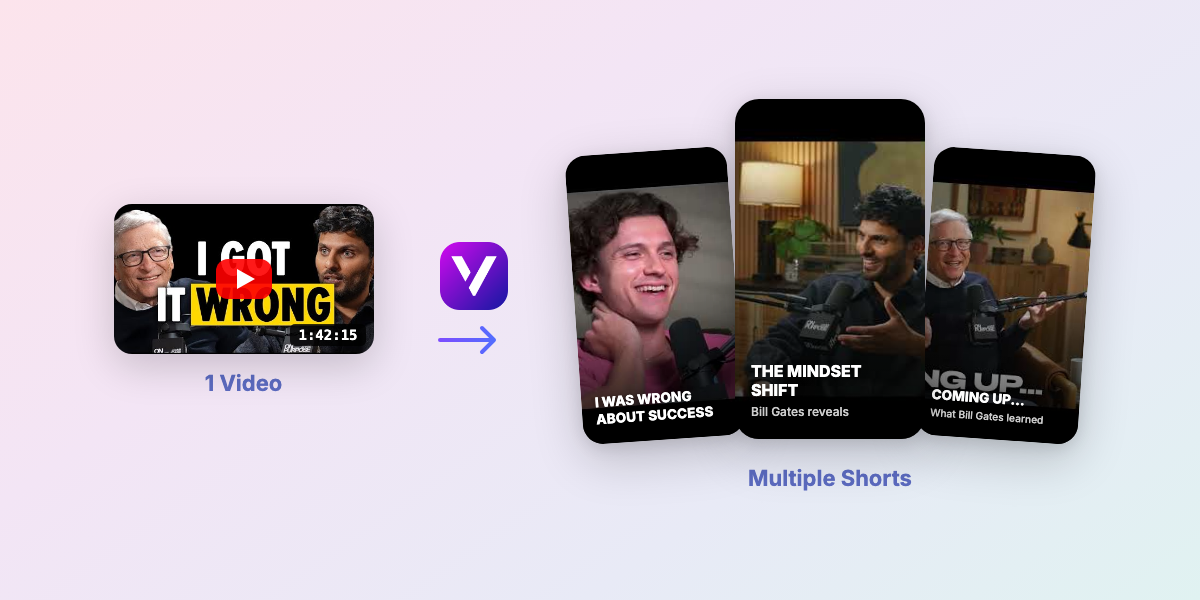
Turn 1 Long Video into 10 Viral Shorts
Upload one YouTube video and auto-generate multiple TikToks, Reels, and Shorts in minutes.
Starboy ⭐️ #sololeveling #sololevelingedit #sungjinwoo #sungjinwooedit #animeedit #amv #edits
When editing this I rediscovered how out of pocked sukuna is. Song: Boys Beware - @mad tsai #sukuna #sukunaryomen #sukunaedit #animeedit #jujutsukaisen #jujutsukaisenedit #edits
Easy Cursive Text Animation After Effects Tutorial 💫 #aftereffects #aftereffectstutorial #tutorial #motiongraphics #edits #textanimation
Speed Lines After Effects Tutorial! #aftereffects #aftereffectstutorial #motiongraphics #mograph #tutorial #edits
Game Start After Effects Tutorial (This is part 1 of 3 for my university project lol) 💫 1. Let’s make a GAME START animation in After Effects! 2. Type out GAME and START in separate text layers. 3. Copy & paste both layers so you have four layers in total. 4. Enable 3D on all of the layers. 5. Make sure your camera is set to Advanced 3D. 6. Set extrusion depth of the bottom two layers to 150. 7. Then make sure Cast Shadows, Accept Shadows & Extrusion Depth are set to off. 8. Make sure these settings are same for both bottom layers and then set them both to black. 9. Move the Z position of the top 2 layers to -1. 10. Create a null then parents all of the layers to it. 11. Set the X rotation to -17. Then keyframe the Y rotation to 47 for the first frame and 17, 2 seconds later. 12. Open the graph editor, select and easy ease both values, then make the graph as i do. 13. Slightly adjust the null position to centre the text. 14. Add an opacity animation and set the value to 0. Make a key frame on the first and 10th frame. 15. Then set the value of the 10th keyframe to 100. 16. Head into the graph editor and easy ease the final frame. 17. Press add, property, character offset and set the value to 5. 18. Copy the text animation and then paste it to the other layers. 19. Slide both the layers of the top text 3 frames forward. 20. Pre-compose everything, then add a Layer Style > Stroke. 21. Then make the colour white with a stroke value of 5 #aftereffects #aftereffectstutorial #motiongraphics #mograph #motiongraphicstutorial #ae #textanimation #texttutorial
Turn 1 Long Video into 10 Viral Shorts
Upload one YouTube video and auto-generate multiple TikToks, Reels, and Shorts in minutes.
THE LARGEST! | #sakamotodays #sakamotodaysedit #sakamoto #animeedit #edits #hanasq
Solo Leveling Saturday is my life at the moment. | HOTLINE - @Icey AK | #sololeveling #sololevelingedit #sungjinwoo #sungjinwooedit #animeedit #animeedits #amv #hanasq
What’s your favourite edit with this song? 😋 | Two - @bbno$ | #jujutsukaisen #jujutsukaisenedit #choso #itadoriyuuji #animeedit #amvedit #edits #sonicthehedgehog #squidgame #hanasq
- Je compte uniquement les vidéos ≥ 60 secondes (tu m’as dit que <60s = pas pris en compte).
- Calcul sur les 30 derniers jours (dans la limite des 35 dernières vidéos qu’on a dans le JSON).
- RPM estimé : 1.03€/1k vues (range 0.72–1.34) basé sur ER + save rate + durée moyenne.
- Résultat: 0€ sur 30j (range 0€–0€), pour 0 vues éligibles et 0 vidéos ≥60s.
- Emoji + note /10 = performance globale de la vidéo (views + ER + saves).
- ER = (Likes + Commentaires + Partages) / Vues • Save rate = Sauvegardes / Vues.
- Badges “Au-dessus / En dessous” = comparaison directe à la moyenne de TON compte.
Clipping is the fastest way to repurpose content: one long video becomes multiple short viral formats. Example: 1 YouTube video -> 10 Shorts/TikToks.
- 1 long video -> multiple Shorts/TikToks
- Auto subtitles synced to every clip
- Vertical exports optimized for watch time